Beginner track
Tour the Visual Basic Editor | Decoding VBA
Open the VBE, understand the Project Explorer, and run your first Sub.
Goal
Get comfortable inside the Visual Basic Editor (VBE) so you can write and run code instead of recording fragile macros.
When to use this
Use the VBE whenever a recorded macro needs editing, or when you want repeatable automation that survives workbook changes.
Get the practice workbook
Download DecodingVBA-Lesson01-VBE-Tour.xlsm, or build it from workbooks/lesson01 in the repo. The file may already include modLesson01 with sample macros; if not, paste from the Code sheet or import modLesson01.bas.
Open the VBE
Two common ways to open the Visual Basic Editor:
Ribbon — On the Developer tab, click Visual Basic.
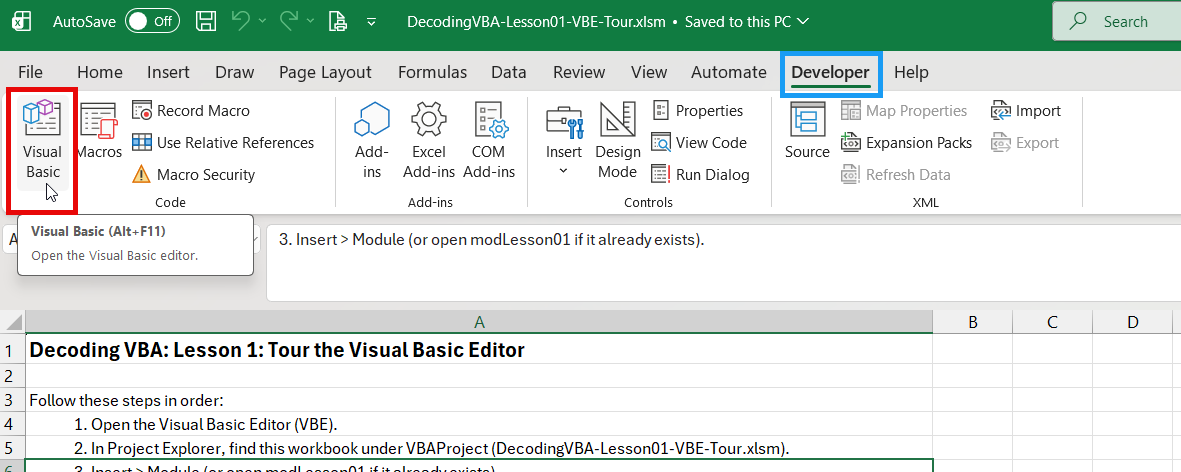
If you do not see Developer, right-click the ribbon, choose Customize the Ribbon, and enable Developer.
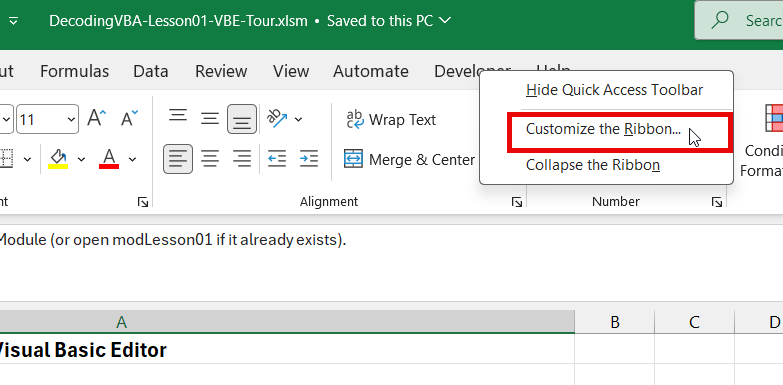
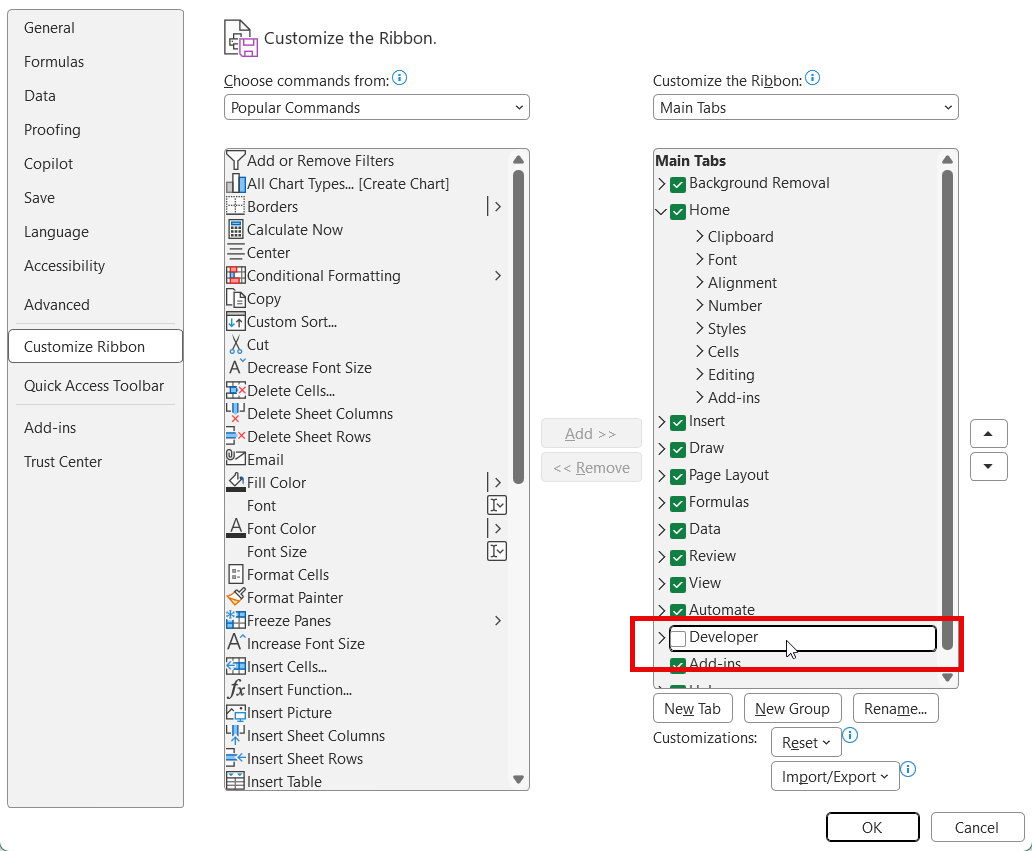
Keyboard — Press Alt + F11. This works no matter which ribbon tab is active.
The basic window explained
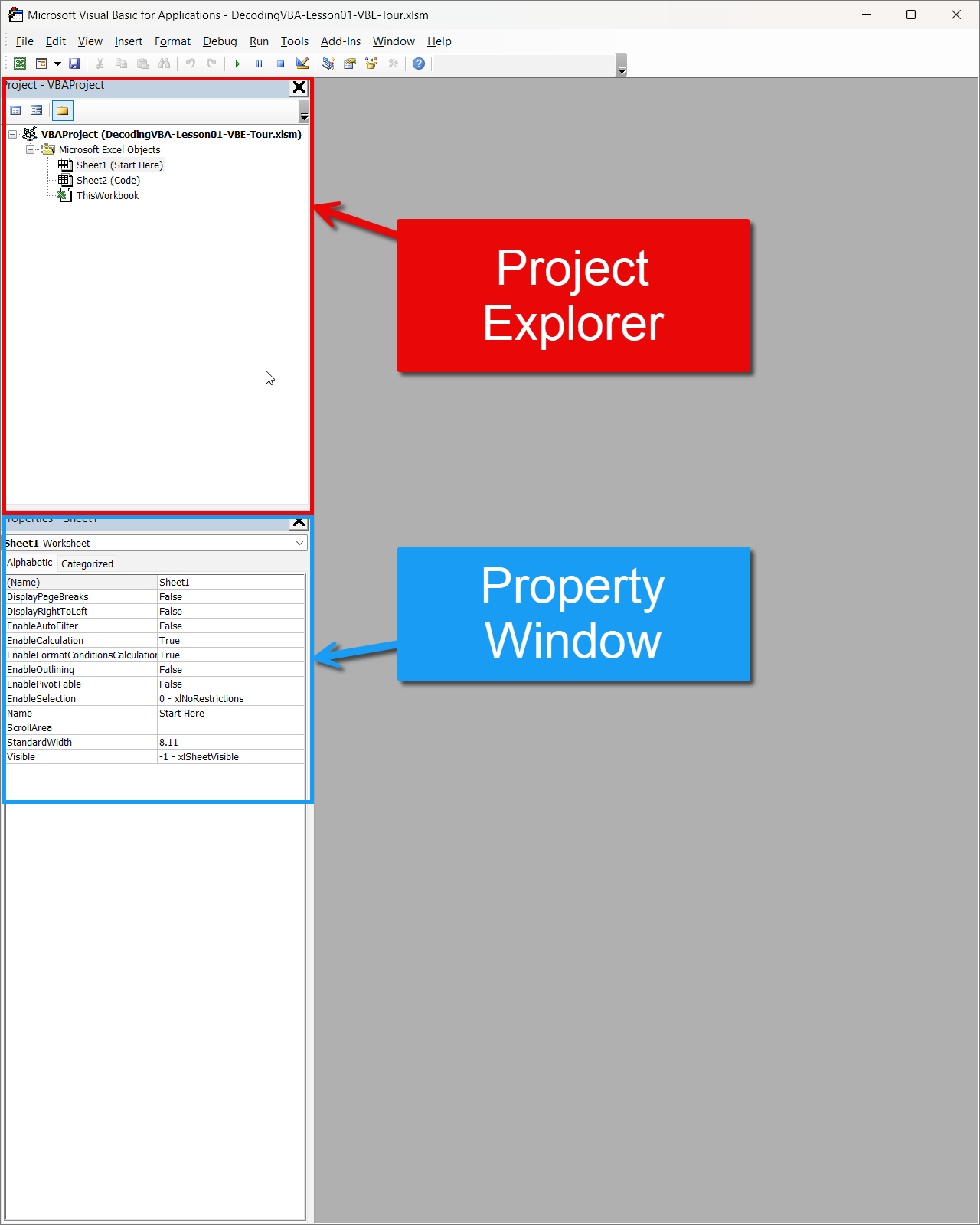
When the VBE opens, you see the menu bar and toolbars, plus two panes on the left: the Project Explorer and the Properties window.
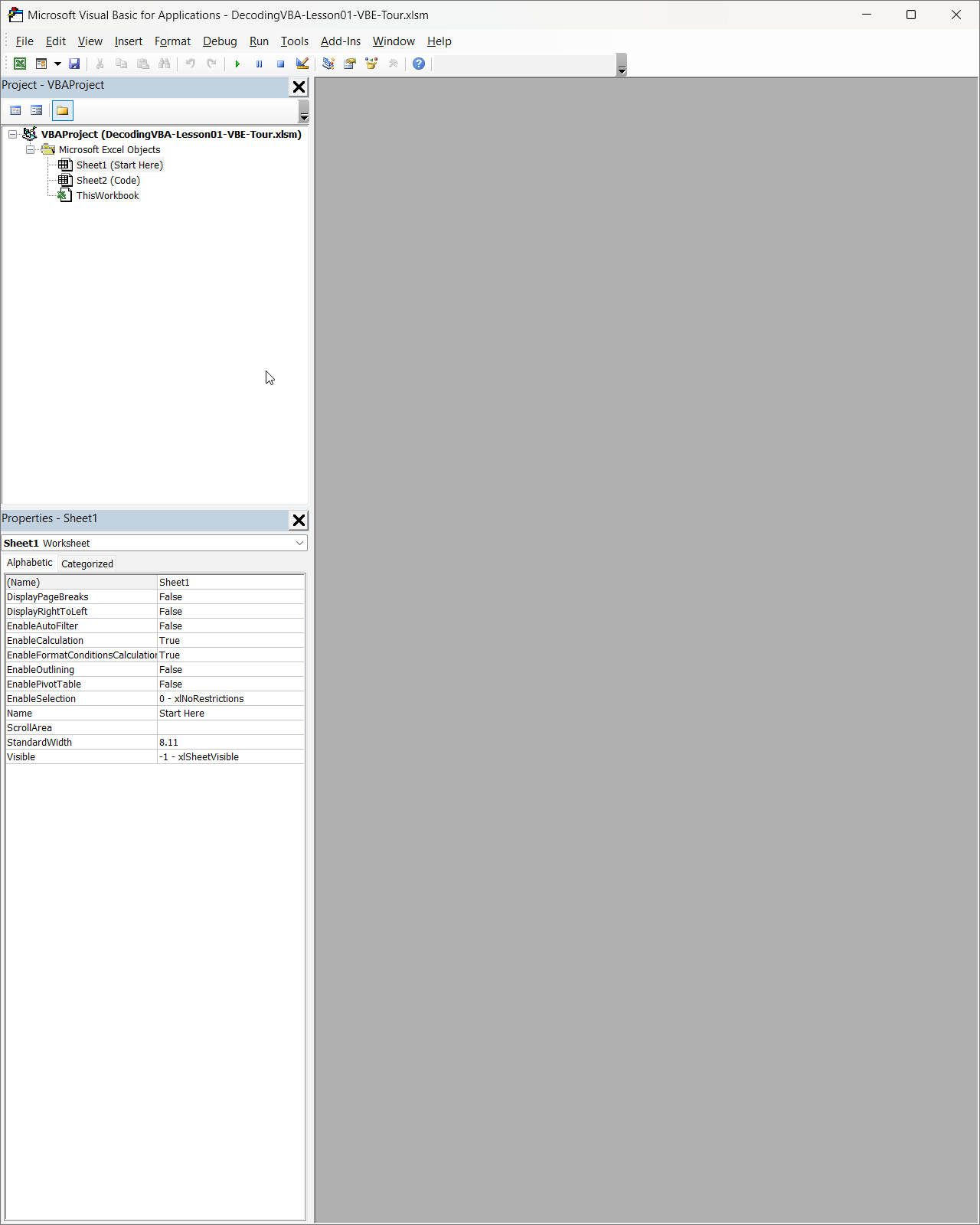
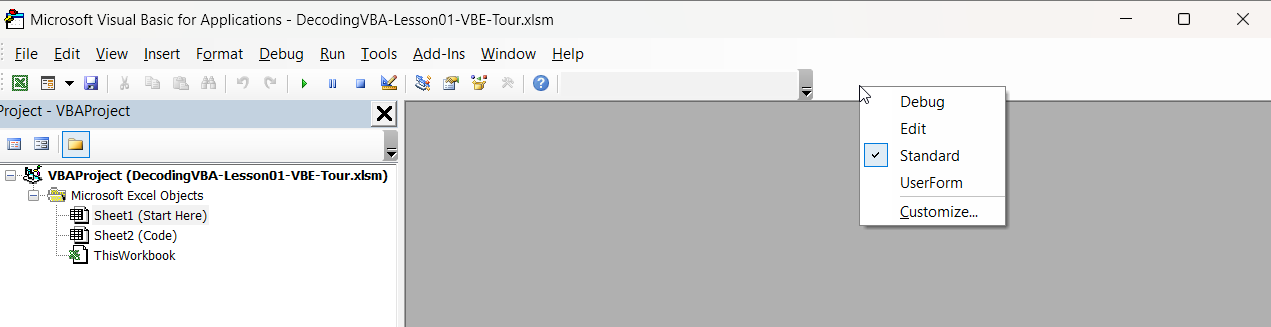
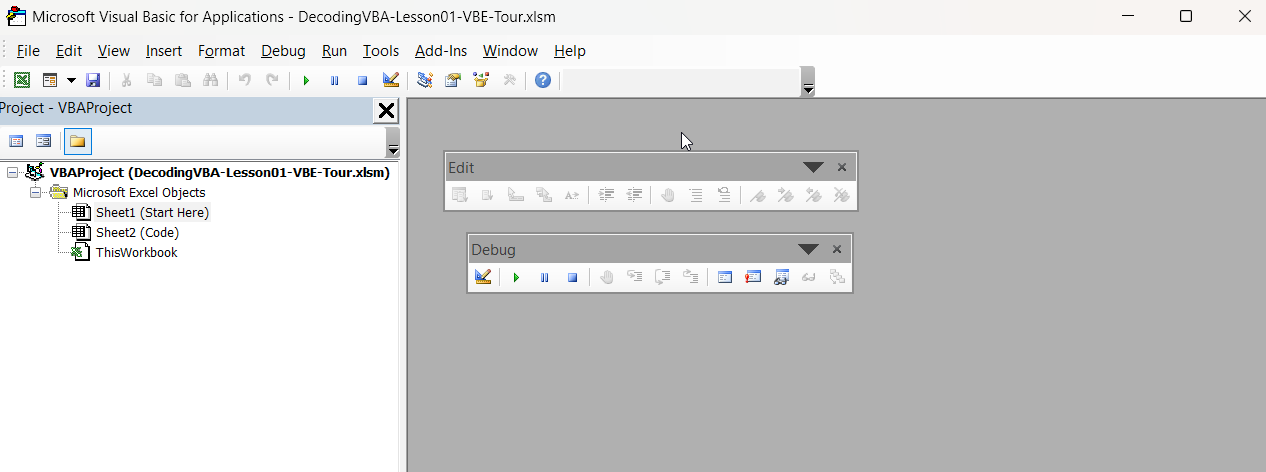
The default toolbar covers basics; many developers also show Edit and Debug toolbars. Use View > Toolbars from the menu bar, or right-click a toolbar and select Edit and Debug.
The Project Explorer is the tree of objects in this Excel file. In the practice workbook you will see Microsoft Excel Objects (the workbook and worksheets). Reusable macros usually live under Modules, which you add next.
The Properties window lists attributes of the selected object—for example, a worksheet has Name and Visible properties you can use in code later.
Deeper object topics come in later lessons; for now, insert a standard module.
Insert a standard module
Insert a module from the toolbar, the Insert Module icon, or by right-clicking the project in the Project Explorer and choosing Insert > Module.
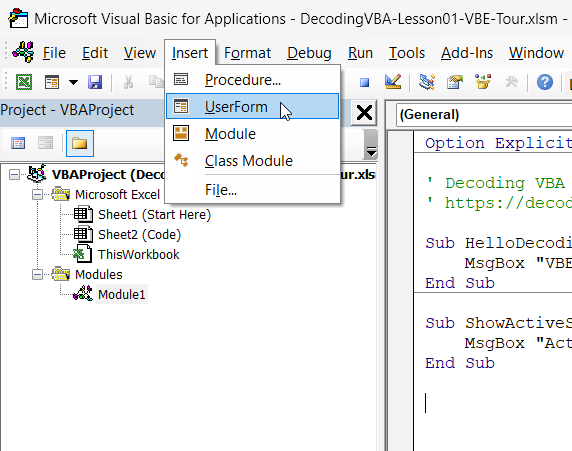
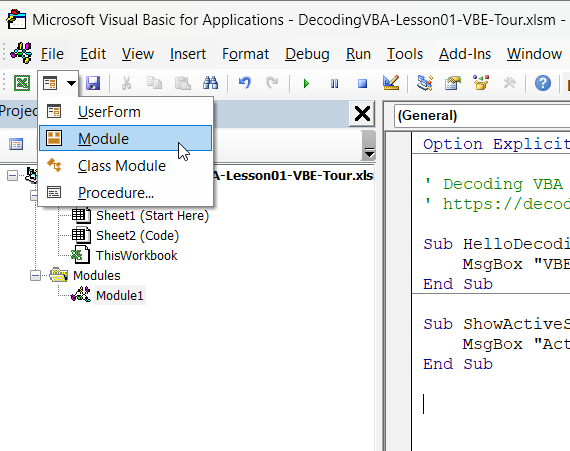
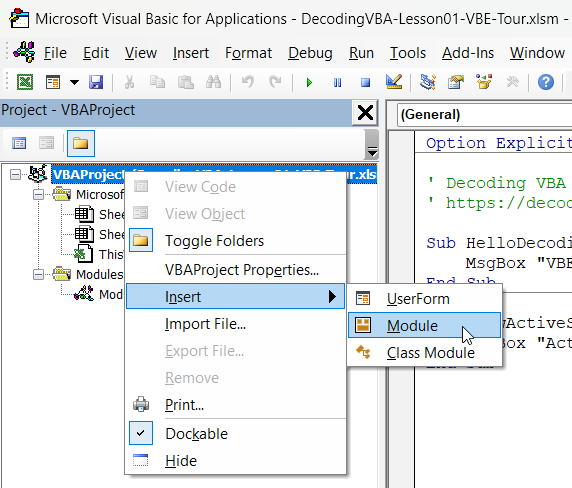
A Modules folder appears with Module1 (or the next free name). The Code window opens in the main area; resize it with the window controls in the top-right corner.
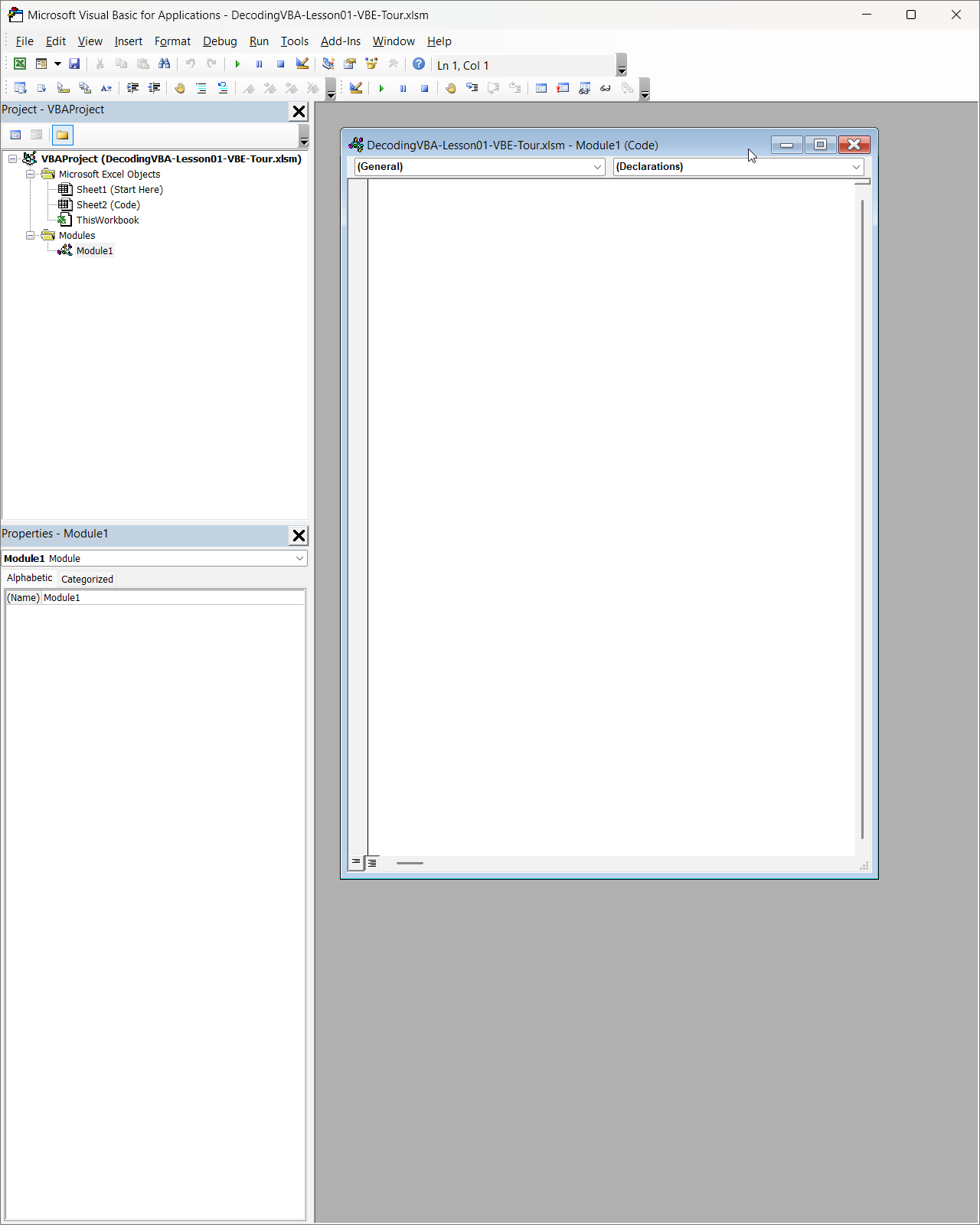
If the Code window does not appear, double-click Module1 in the Project Explorer.
If you downloaded the practice file and see modLesson01 under Modules, open it and skip creating a new module unless you want a fresh one for experiments.
Write and run your first Sub
Click in the Code window and paste the macro below into a standard module (skip if HelloDecodingVBA is already there):
Option Explicit

Sub HelloDecodingVBA()
    MsgBox "VBE is open. You are ready to write code.", vbInformation, "Decoding VBA"
End Sub
Click anywhere inside HelloDecodingVBA, then press F5 or click Run Sub/UserForm (the green play button on the toolbar).
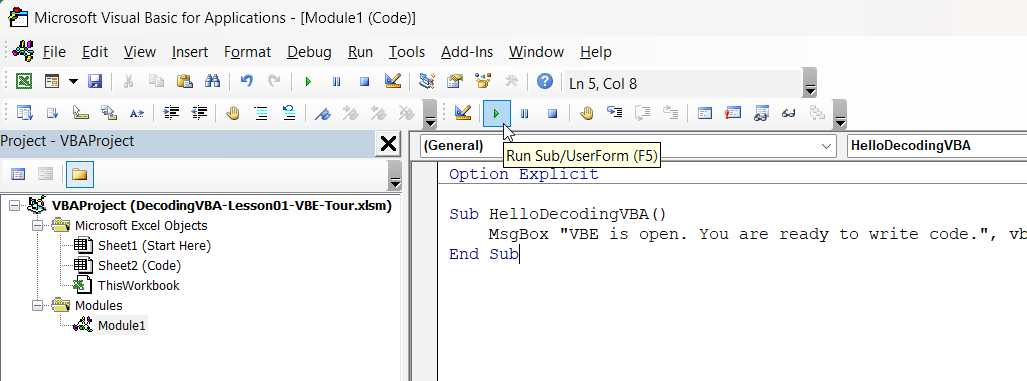
The practice workbook also includes ShowActiveSheetName. Click inside that Sub and press F8 to step through it line by line—a quick way to see how stepping differs from a full run with F5.
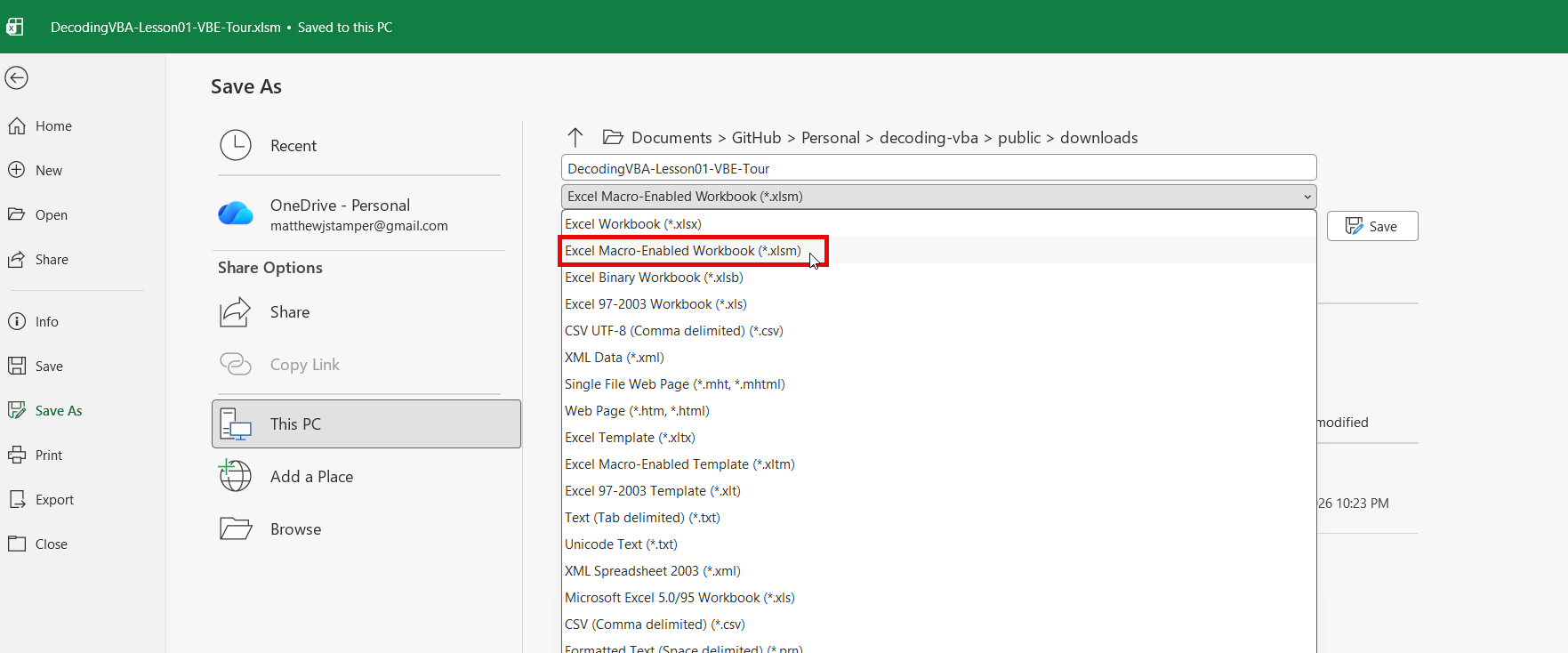
Save as macro-enabled
After you add VBA to a workbook, save it as a macro-enabled workbook (.xlsm) so the code stays with the file. Saving as .xlsx strips all macros from the workbook.
What to notice
- In the Project Explorer, reusable macros live under Modules (for example, Module1 or modLesson01), not under Microsoft Excel Objects sheet nodes unless you deliberately use sheet code.
- Your macro is a
Sub … End Subprocedure; click inside the Sub you want before you run so VBA knows which procedure to execute. F5runs the entire Sub;F8steps line by line—useful when you want to see each line run once.- Macros are part of the workbook file—save as
.xlsm(macro-enabled) so the code stays with the file (plain.xlsxdoes not keep VBA).
Common mistakes
- Forgetting to save while you experiment—Excel can crash and you can lose unsaved code; save often as
.xlsm. - Saving as
.xlsxinstead of.xlsm(macros are stripped). - Writing code in a worksheet module when a standard module is clearer for reusable Subs.
- Overwriting production data while debugging or testing—work on a copy when you are learning.
Practice
Try these on the practice workbook or a copy:
- Change the message text in
HelloDecodingVBAand run it again withF5. - Run
ShowActiveSheetName, or add a second Sub that shows the active sheet name:
Sub ShowActiveSheetName()
    MsgBox "Active sheet: " & ActiveSheet.Name, vbInformation, "Decoding VBA"
End Sub- Step through
ShowActiveSheetNamewithF8and watch the highlight move line by line.
Next up
Turn on Option Explicit so VBA catches typos before they break your macros.